

- No Comments
- EA, EA Fundamentals
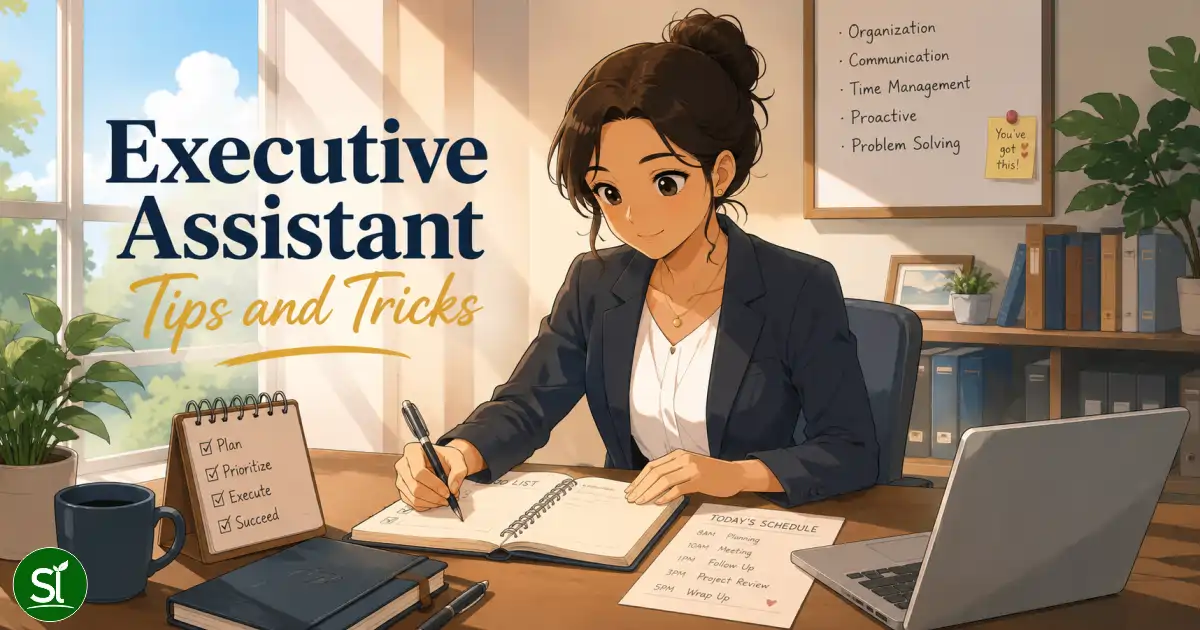
Basically, as an EA you’re the right-hand person to the executive and senior management. You do what needs to be done to make them more productive. No day will look the same for an executive assistant.
Executive Assistant Tips and Tricks
An executive assistant (EA) is a person who is business savvy, organized, and works well under pressure. In this guide, you’ll learn about what being an executive assistant entails and the best executive assistant tips and tricks for success.
What is an Executive Assistant?
As an executive assistant, your job is to help the executive’s day run as smoothly as possible. You make high-level administrative decisions that support both the executive and the company as a whole. Unlike a secretary or personal assistant, the decisions you make will have a direct impact on the company.
Basically, you’re the right-hand person to the executive and senior management. You do what needs to be done to make them more productive. No day will look the same for an executive assistant.
Common tasks:
- Prepare research reports
- Coordinate the executive’s schedule and calendar
- Analyze documents
- Supervise clerical staff members
- Be present on the executive’s behalf
- Stay on top of the executive’s correspondence, such as phone calls and email
- Project management
Now that you have an idea of what an executive assistant does, let’s look at some job titles that are commonly confused.
Personal Assistant vs. Executive Assistant
The difference between an executive assistant and personal assistant tends to be more up to each individual company. Oftentimes, these job titles are used interchangeably.
The key difference is a personal assistant works for an individual while an executive assistant is more associated with a business or company. Yes, executive assistants report primarily to the executive, but more of what they do affects the company as a whole, and they have more ongoing projects directly related to the company.
Common tasks for a personal assistant include:
- Coordinating their boss’s schedule
- Taking care of travel arrangements
- Taking notes for their boss
- Remembering times, dates, and names
Keep in mind, executive assistants oftentimes are responsible for these tasks, too.
Administrative Assistant vs. Executive Assistant
In the hierarchy of business, the executive assistant would be a higher-level position than an administrative assistant (also known as admin assistant). Oftentimes, an administrative assistant will be promoted to an executive assistant.
When they are promoted, they will keep many of their current responsibilities while also taking on more important tasks. Executive assistants are trusted to handle things that are more sensitive and private to the business.
In most cases, an administrative assistant only needs a high school diploma and basic office and computer experience, whereas an executive assistant needs a four-year degree in a business-related major.
Administrative assistants typically are in charge of running the office and taking care of basic clerical duties. Unlike an executive assistant, their day has more of a set routine. Here are some of their most common tasks:
- Data entry
- Answering phone calls
- Directing visitors
- Maintaining files and documents
- Scheduling meetings
What Makes a Great Executive Assistant?
If you want to work your way up the corporate ladder, becoming an executive assistant is a good way to go about it. In order to be successful in this career, you need to possess the following qualities and skills.
Problem-Solving Skills
Every great executive assistant is an expert problem solver. When issues arise, you’ll need to think of ways to fix the situation. Also, you need to be proactive to prevent problems from happening in the first place. For example, when planning your boss’s business trip, you need to anticipate any potential setbacks and plan accordingly.
Adaptable
When things don’t go as planned, you have to be ready to adapt in order to come out ahead. Executives don’t have time for people who can’t handle plans suddenly changing. Depending on what industry you’re in, you’ll find that plans and situations change all the time. The best executive assistants thrive under this pressure.
Tech-savvy
In order to stay organized, executive assistants need to be up to date on the latest project management and scheduling technologies. Later, we’ll go over some technologies and software that help executive assistants excel at their jobs.
Executive Assistant Tips and Tricks
Follow these executive assistant tips for success and you’ll be the star assistant in no time.
Use Technology to Your Advantage
There are more technology and software options available than ever to help executive assistants do their job well. Here are some of my favorites:
- Slack bots: If your office uses Slack to communicate, then you need to utilize their Slack bots feature. For example, with the Meeting bot, you can easily see everyone’s schedules, find an open meeting room, and send meeting reminders. Booking your boss’s meetings has never been easier! This is one of the many helpful bots Slack has to offer.
- Asana: Asana is one of the best project managers out there. You can create different to-do lists, calendars, project categories, and tasks. Easily share files, assign tasks to specific people, comment on tasks, run reports, and more.
- Dropbox: It’s important your company uses some kind of cloud service to store files. With Dropbox, you can access files anytime and anywhere. We like Dropbox because its interface makes it easy to collaborate on projects with others.
- Meeting Management & Notetaking: AI bots automatically join video calls, record the discussion, and generate summaries with action items.Try Fireflies.ai or Otter.ai to stop taking manual notes. Native options include Zoom AI Companion or Google Meet’s “Take notes for me“.
- Intelligent Scheduling: Say goodbye to endless “back-and-forth” emails. These tools allow executives to share their availability through a secure link.Use Calendly to automate booking.Use Clockwise to optimize calendars and create uninterrupted focus time for your executive.
- Email & Communication: Manage overwhelming message loads effortlessly with predictive replies and intelligent folders.Superhuman sorts emails and helps you draft replies at lightning speed. SaneBox acts as a smart filter, automatically moving newsletters and social notifications out of your primary inbox.
- Task & Project Management: Keep track of complex projects and team goals in one shared space. ClickUp combines project tracking, documents, and goal dashboards into a single app. Notion is ideal for building internal company wikis and storing standard operating procedures (SOPs).
- Travel & Expense Management: Book flights, hotels, and ground transportation while automatically tracking receipts for reporting.TravelPerk is a great all-in-one platform for global business travel.
- AI: Adopt AI for everyday tasks. You can use everyday AI tools like ChatGPT, Perplexity, Microsoft Copilot, Grok, Claude, or Google Gemini to help with common office tasks, such as writing a meeting brief, research, travel planning, formatting data, etc.
Streamline Your Process
Oftentimes these technologies integrate with one another. For example, Google has a variety of business solutions that are all connected, making it easier to access everything in one place. Google Drive is great for companies because all of your spreadsheets, documents, and slideshows are in your drive and can be accessed on any device.
Remember: The Executive is Human, Too
When you’re running all over to do things for your boss without enough praise, you may resent them at times. However, one tip to help yourself is to remember that they are human too. More often than not, they also feel overwhelmed by all their tasks and forget to say thanks. Try praising them for their hard work (without being a brown-noser) and they might reciprocate.
Prioritize Tasks
By determining the salience of each task, you’ll have a better idea of what needs to be done first. Oftentimes writing everything you need to do on a list and then ranking your tasks in order of urgency is a good way to stay on track without feeling overwhelmed. Then you know what you should really be focusing on instead of wasting time feeling stressed.
Executive Assistant Organization Tools
Staying organized will help you do your job more efficiently without making avoidable mistakes.
Here are some of my favorite executive assistant organization tools:
monday: monday is similar to Excel but with a better user interface. This management tool is designed specifically to track tasks and projects and lets you collaborate with others.
OneLogin: This is a cloud-based identity and access management provider that securely stores all of your passwords in a central location. No more forgetting the dozens of passwords you use on a daily basis. Similar tools include Google Password Manager.
FollowUp: When you’re constantly bombarded with emails, it can be easy to forget to respond to some of them. With the FollowUp Chrome extension, you can set reply reminders on all of your emails.
Executive Assistant Calendar Management Tips
One of the most important tasks an executive assistant is responsible for is managing the executive’s schedule. If the assistant fails to keep the executive’s calendar organized, it can cause a lot of issues for the executive and the company. That’s why we’re sharing some calendar management tips below:
Talk to Your Executive
When starting your job, ask the executive if you can sit down and talk about their schedule. What does their average day look like? What are their most important accounts? Who is their biggest priority?
Take notes, so you can refer to them each week and know if you’re forgetting something.
Never Overbook
When scheduling meetings and phone calls, don’t bite off more than your executive can chew. Assume that meetings are always going to go longer than scheduled, and plan accordingly.
Also, even if things end on time, you don’t want the executive to have to run across the office or town to make it to the next one. Always be conscientious how far away meeting locations are and schedule realistically without making the executive feel burnt out.
Sync Your Calendars
Use an online calendar that you can sync or share with one another. For example, with Office 365’s Outlook, you can both view and add to each other’s calendars. This way you always have their schedule right at your fingertips.
Have Them Review Their Calendar
Their day-to-day activities should never be a surprise. At least once a week, meet with the executive to go over their calendar. This is a good time to get to know how they work best.
For example, they may prefer to get all their meetings out of the way in the morning. During these meetings, take note of how they can be most productive.
Be Picky about Meetings
Your boss may become frustrated if they keep meeting about things that could be figured out in an email.
Don’t be too quick to schedule a meeting just because a colleague wants to. Instead, find out what the meeting is about and determine if it’s really worth the executive’s time or if you could just stand-in for them instead.
Use an Online Calendar
In our digital world, this may be common sense, but you need to use an online calendar. We already discussed Asana and Office 365’s Outlook, which both have calendars you can share with coworkers.
Below are a couple of additional great options:
Teamup: If you’re looking for a simplified calendar that can easily be shared, try Teamup. They offer a live demo and free trial, so you can decide if it’s the right shared calendar for your team.
Google Calendar: If your team already uses Google’s other services, then Google Calendar will be perfect for you! It seamlessly integrates with Google’s other services such as Gmail, Drive, and Hangouts.
If you follow these executive assistant tips and tricks judiciously, you’ll excel in your position and continue to grow in your career.
To learn more about being an exceptional and productive EA and to access useful resources, subscribe to our newsletter. If you have any questions, reach out via the comment box. We love to hear from you!
Login
0 Comments
Newest
Oldest
Most Voted
Share:
More Like This

Table of Contents
Add a header to begin generating the table of contents